
CommerceOps
Turn Shopify orders, products and customers into ClickUp tasks.
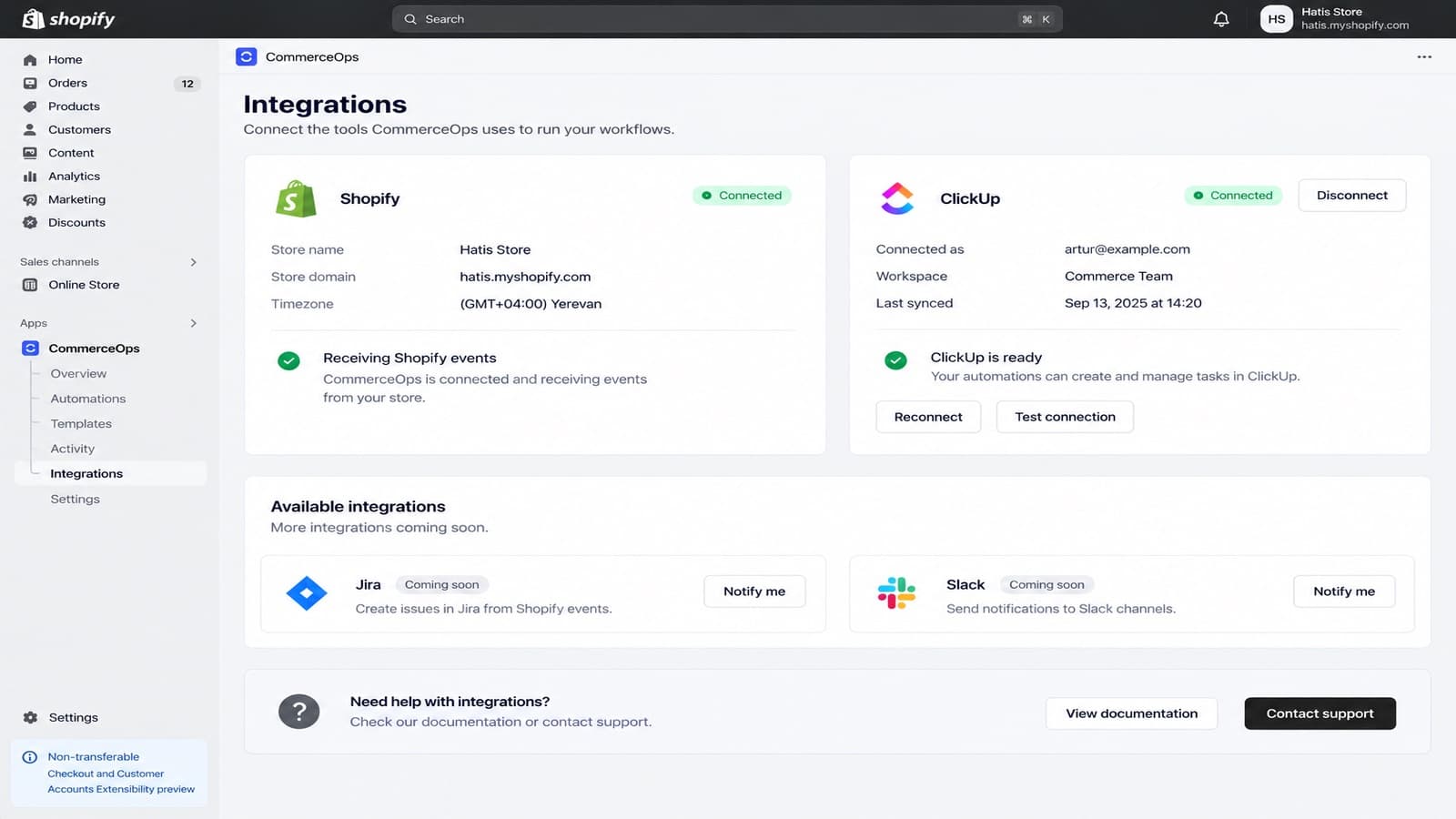
CommerceOps connects Shopify to ClickUp. Automations create and update ClickUp tasks when orders, refunds, fulfillments, customers or stock change, and your team can create a task from any order, product or customer page in the Shopify admin.
CommerceOps is in review for the Shopify App Store. It will be available to install soon.
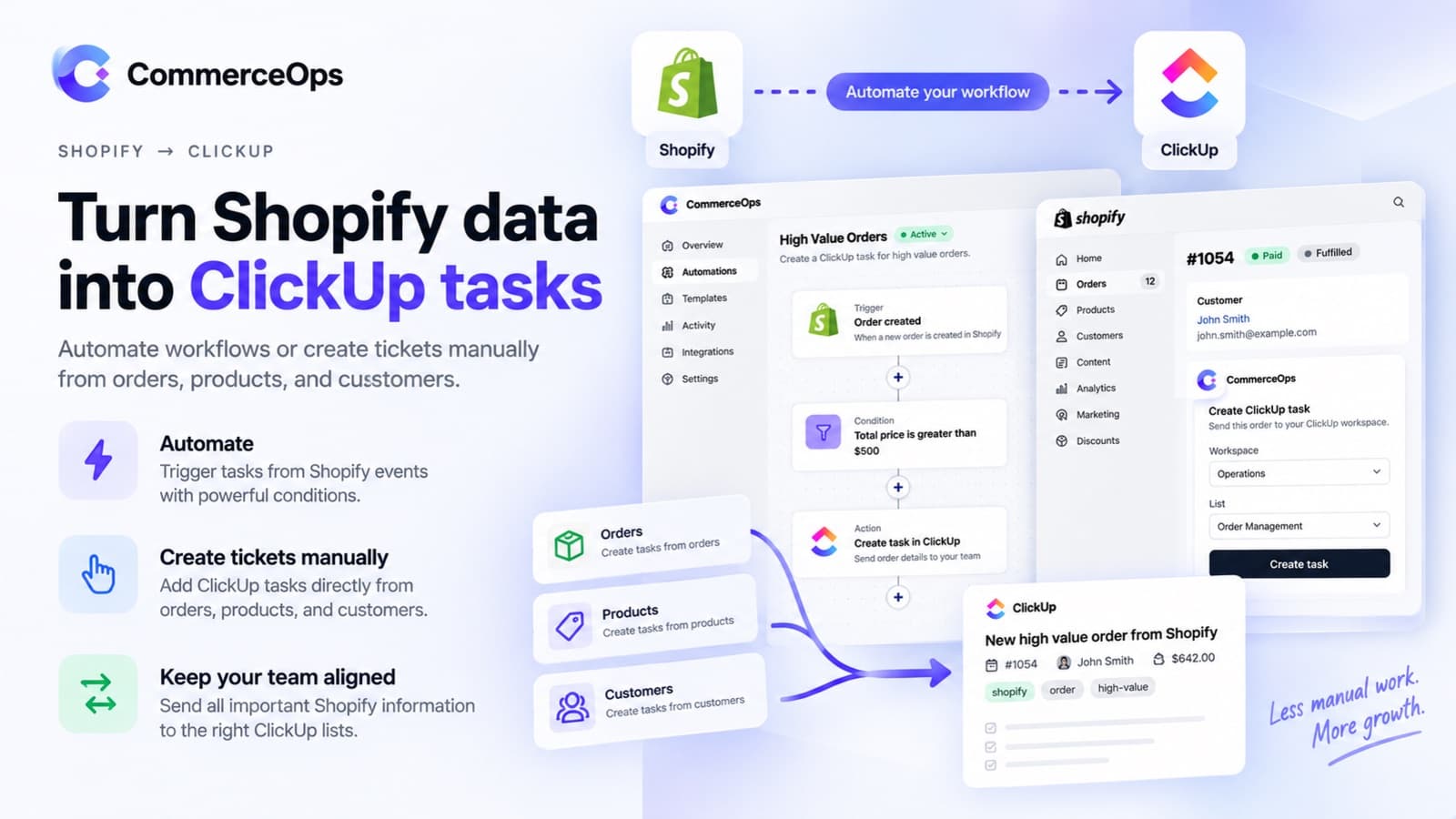
See CommerceOps in detail
Screens from the app submitted to the Shopify App Store.
What CommerceOps does
Everything is set up from the Shopify admin. Read the documentation for step-by-step guides.
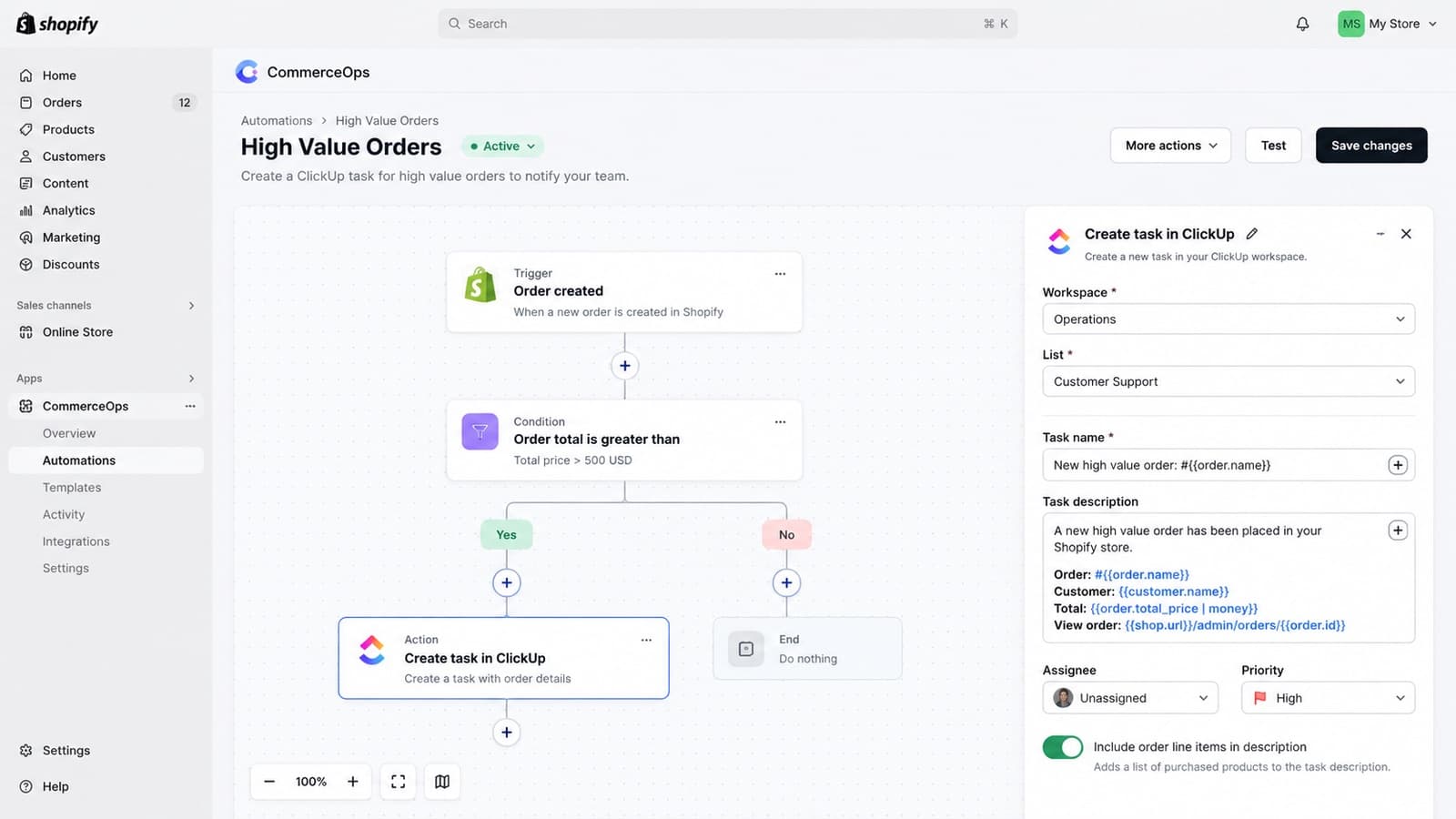
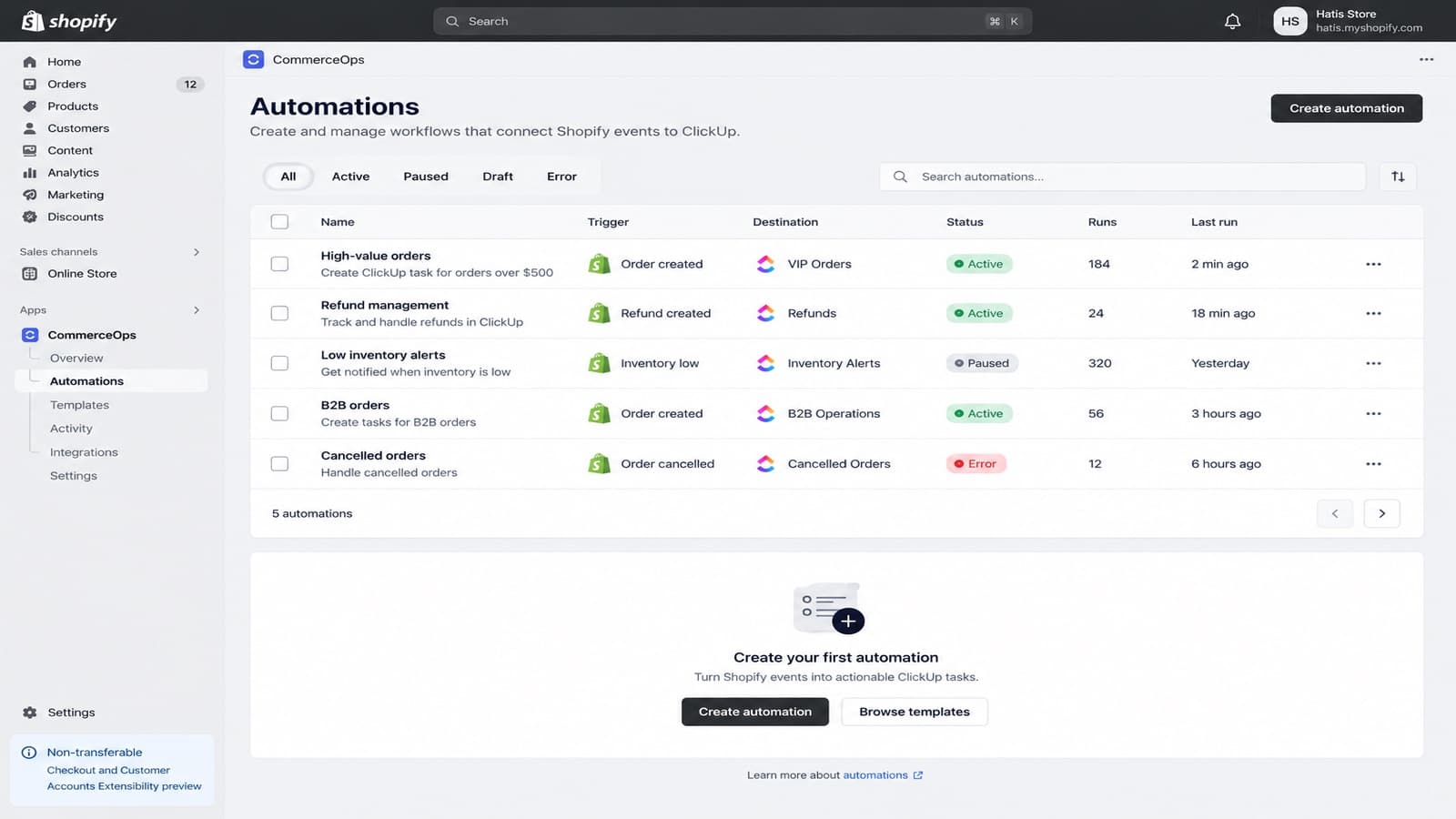
Automations
One Shopify trigger, conditions and ClickUp actions, built on a visual canvas.
12 Shopify triggers
Orders, refunds, fulfillments, customers, products and low stock.
ClickUp actions
Create or update tasks, set status, priority, due date and assignee, add comments.
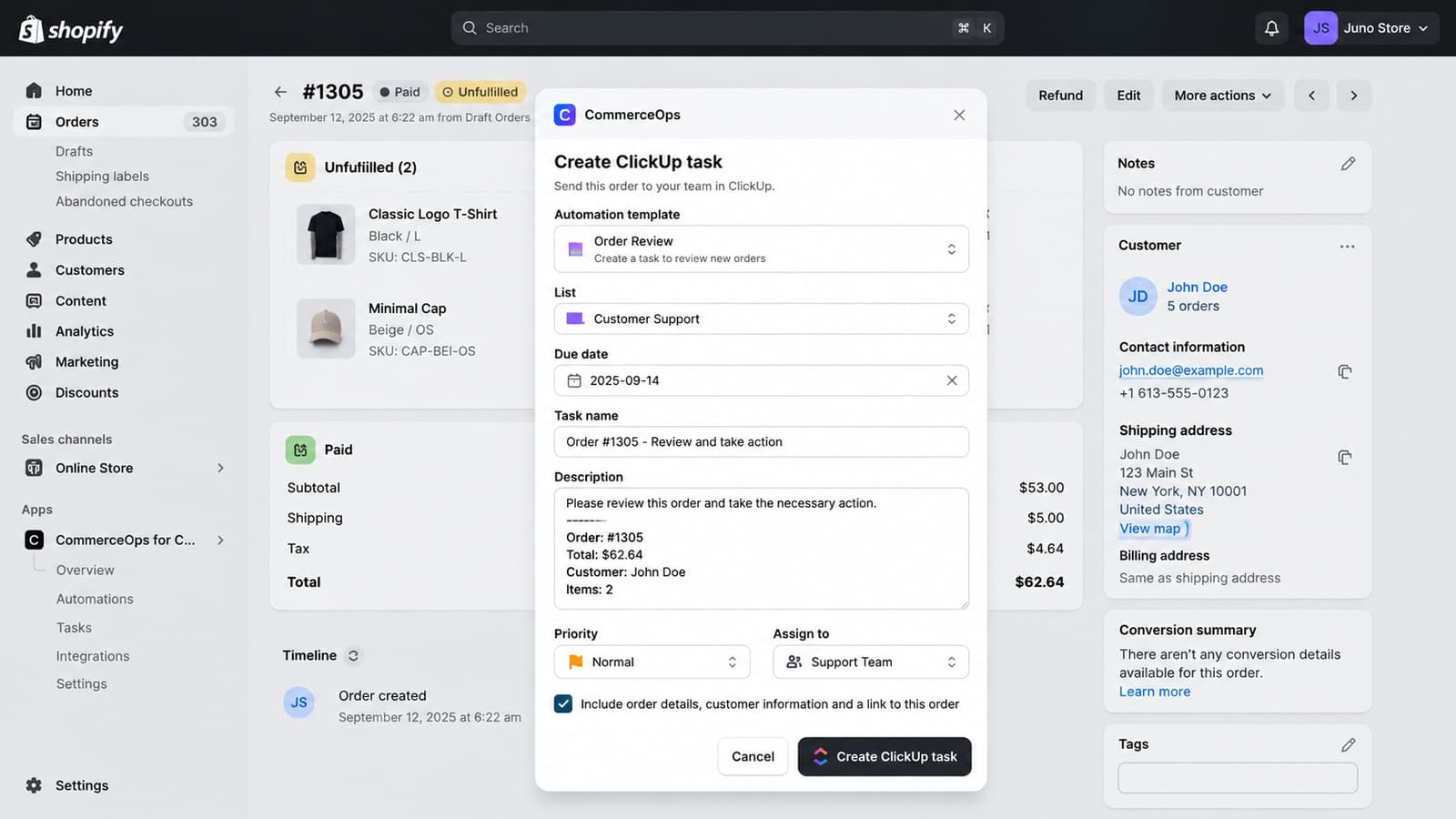
From the Shopify admin
Create a ClickUp task from an order, product or customer page.
Shopify Flow
A Create ClickUp task action for your Flow workflows.
Templates
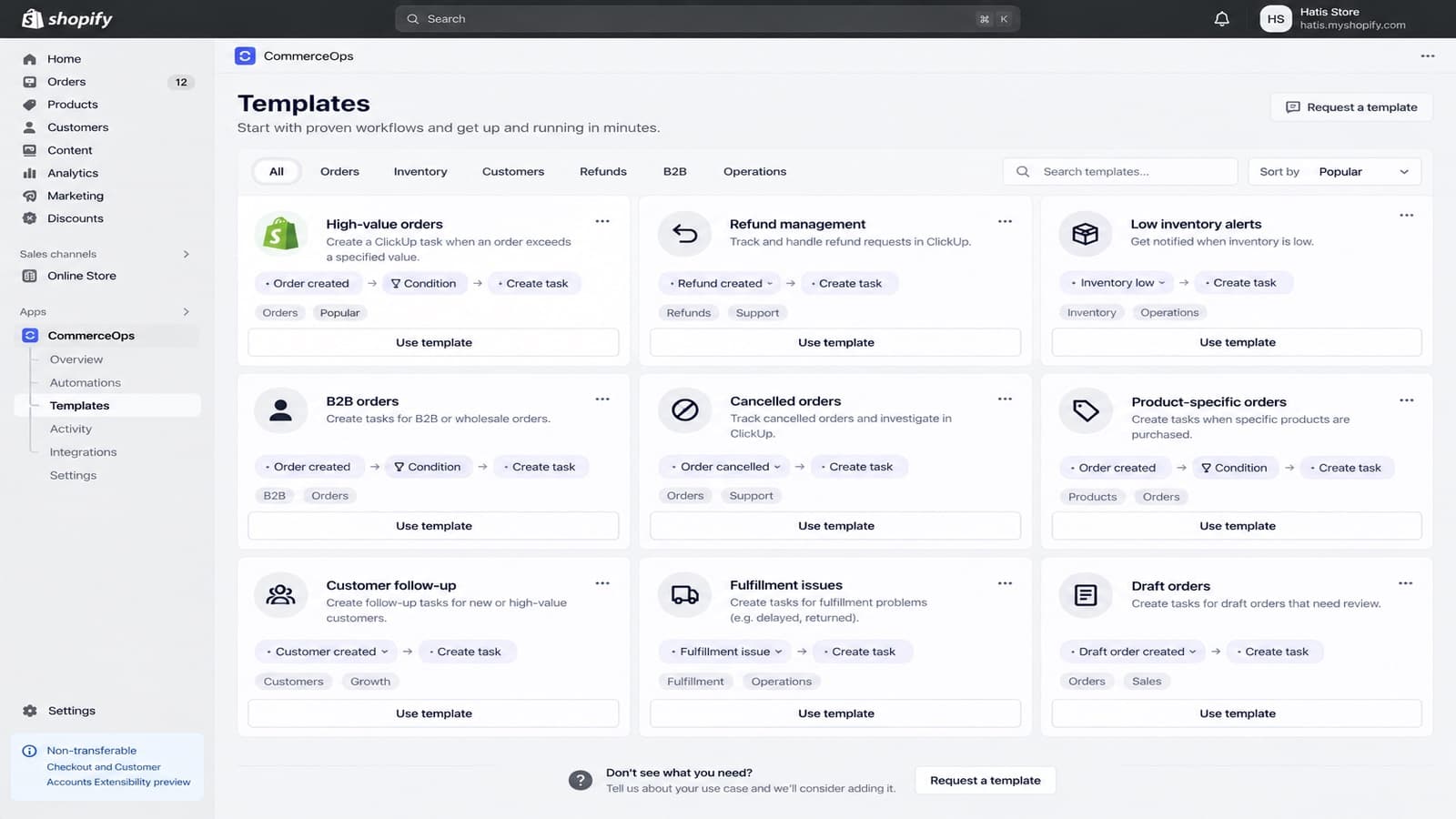
High-value orders, refunds, low stock, B2B orders and more, ready to use.
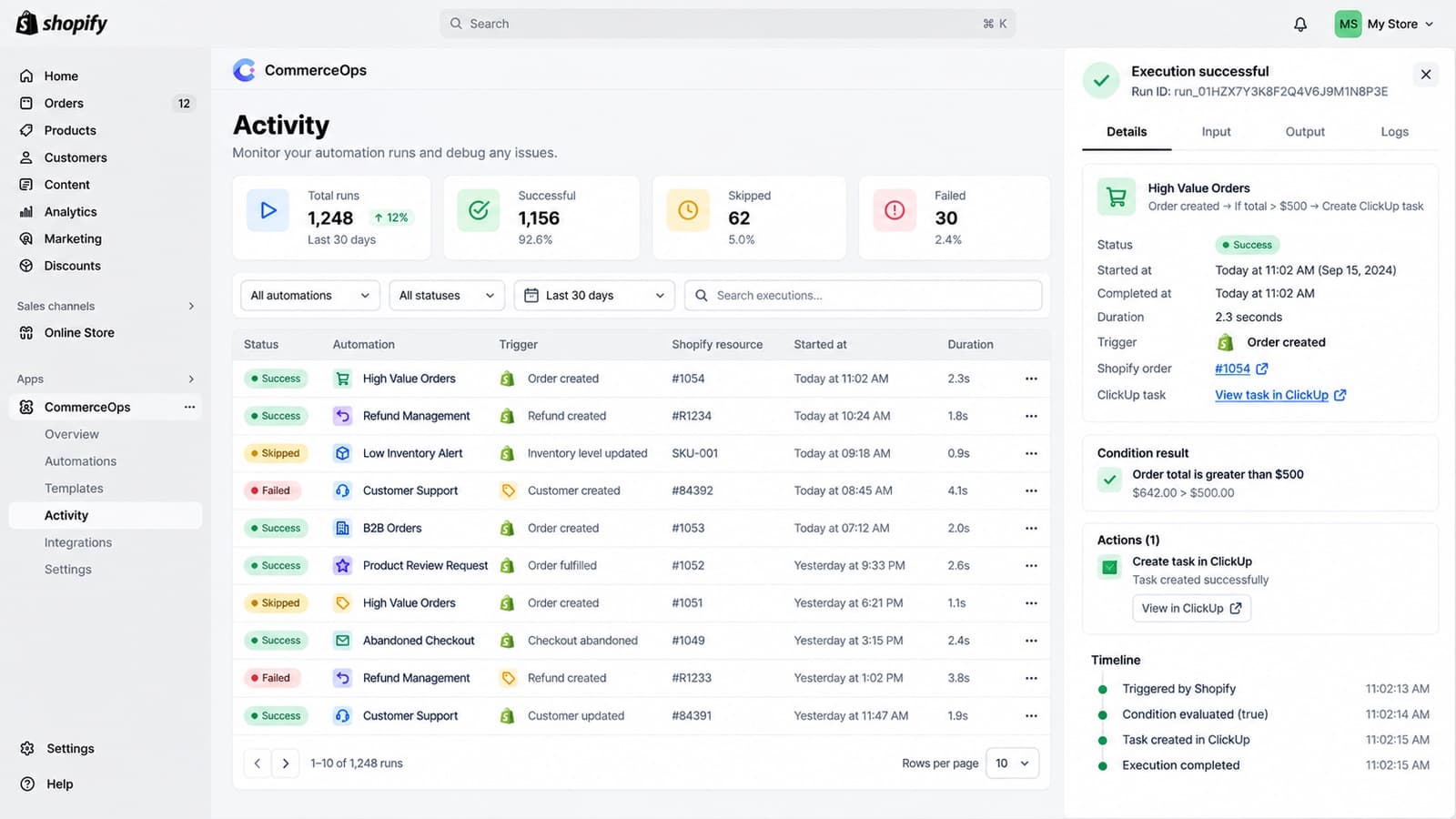
Activity
Every run with its result, the data it used and why it failed or was skipped.
Safe editing
Changes to a live automation stay in a draft until you publish them.
Questions about CommerceOps?
Write to us with your store and what you want to set up. The team that builds the app answers.