Activity, plans and data
Activity
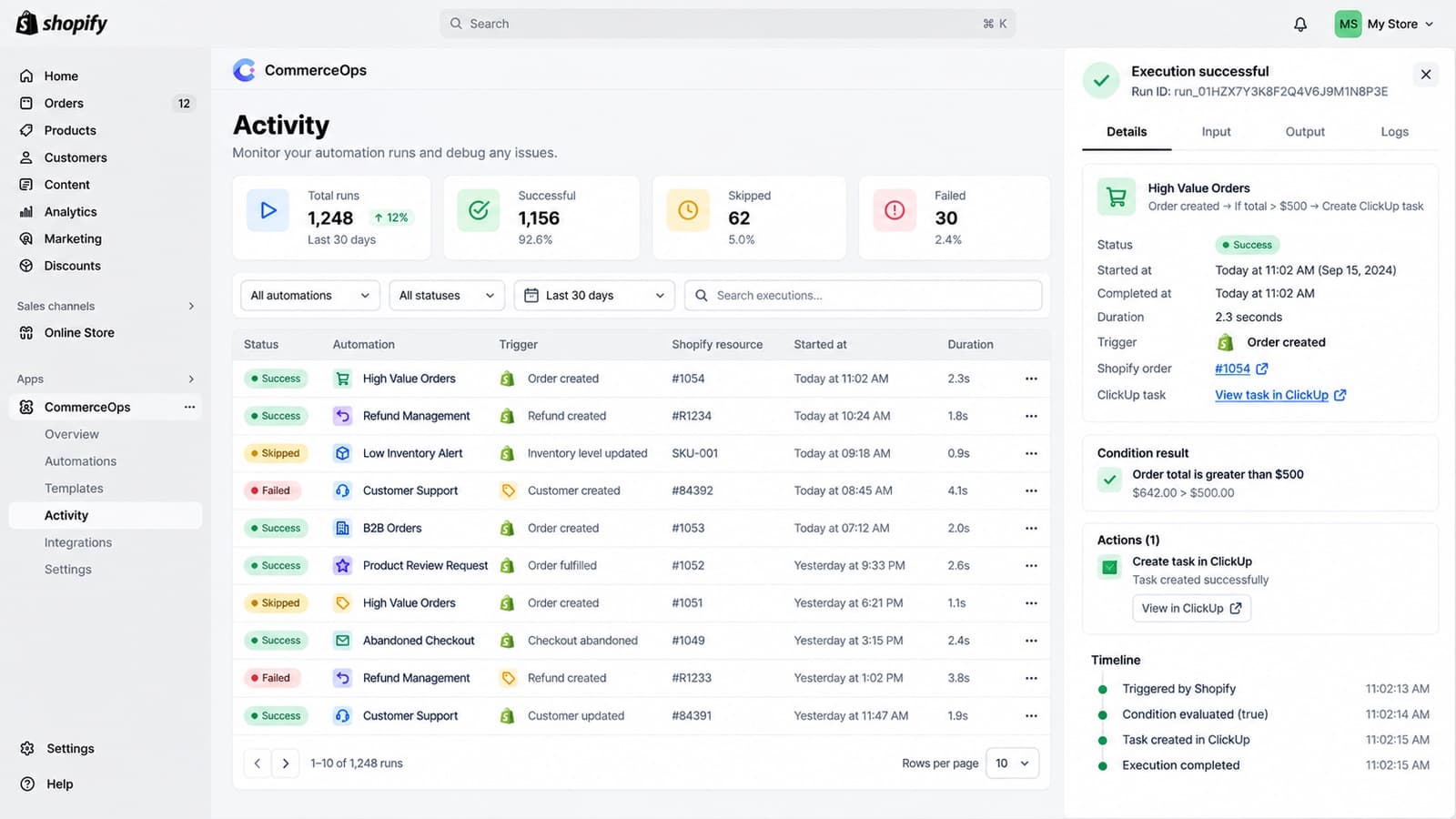
Activity lists every run with its time, the Shopify order, product or customer, the automation, the action, the result and the version of the automation used. Open a run to see each step, the event data, errors, retries and links to the task in ClickUp.
Notifications
CommerceOps tells you in the app and by email when a run fails for good, when ClickUp is disconnected and when you are close to your plan limit. Each message links to the run, the automation, the reconnect screen or billing. Repeated problems are grouped, and you get a message when the problem is fixed.
Plans and limits
Billing shows your plan, the runs used this month and the number of active automations. You get a warning at 80% and at 100% of your monthly runs. Runs stopped by the plan limit are marked as such in Activity, not as errors. Before moving to a smaller plan, pause automations so you are within its limit.
Privacy and data
In Settings you can disconnect ClickUp and ask for your stored CommerceOps data to be deleted. The app also handles Shopify’s customer and shop data deletion requests.