Automations
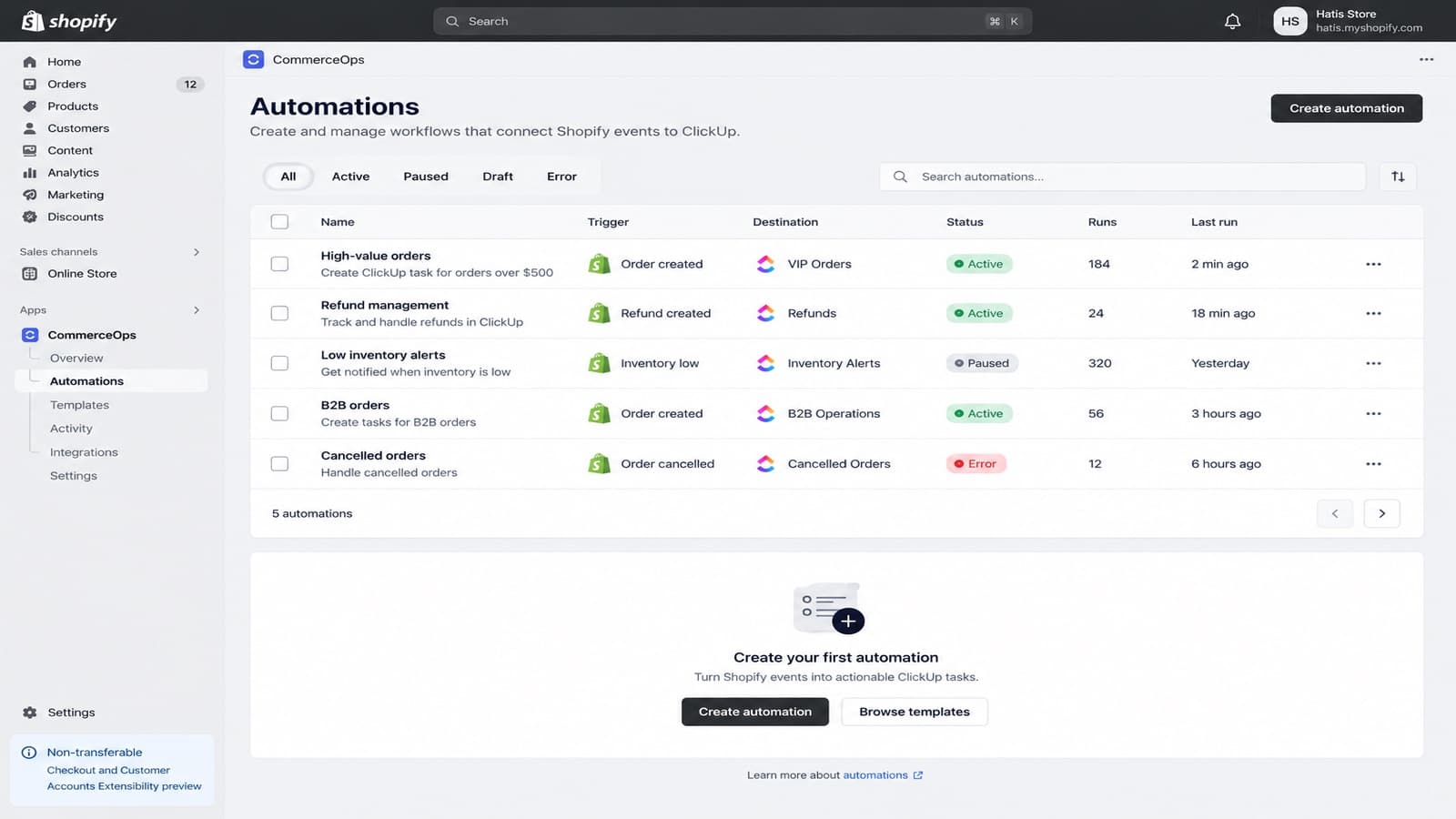
An automation has one Shopify trigger and a workflow of conditions and ClickUp actions. Its status shows whether it is a draft, active, paused or needs attention.
Triggers
| Area | Triggers |
|---|---|
| Orders | Order created, Order paid, Order cancelled, Order tagged |
| Refunds and fulfillment | Refund created, Fulfillment created, Fulfillment updated |
| Customers | Customer created, Customer tagged |
| Products | Product created, Product updated, Inventory low |
Conditions
Conditions compare text, numbers, tags, status, SKU, customer details, totals and other values from the trigger. Conditions in one group must all match (AND). Separate groups are alternatives (OR). A branch can continue to more conditions or end with its own actions.
ClickUp actions
An action can:
- create a task with a name and description built from Shopify data;
- choose the Space, Folder and List from your workspace;
- set the priority and a due date relative to the event;
- assign a ClickUp user or Team;
- update a linked task or its status;
- add comments and fill supported custom fields.
Task names and descriptions can use Shopify variables such as the order name, total, currency, customer details, line items, SKU, product fields and admin links. The variables you can use depend on the trigger.
Templates
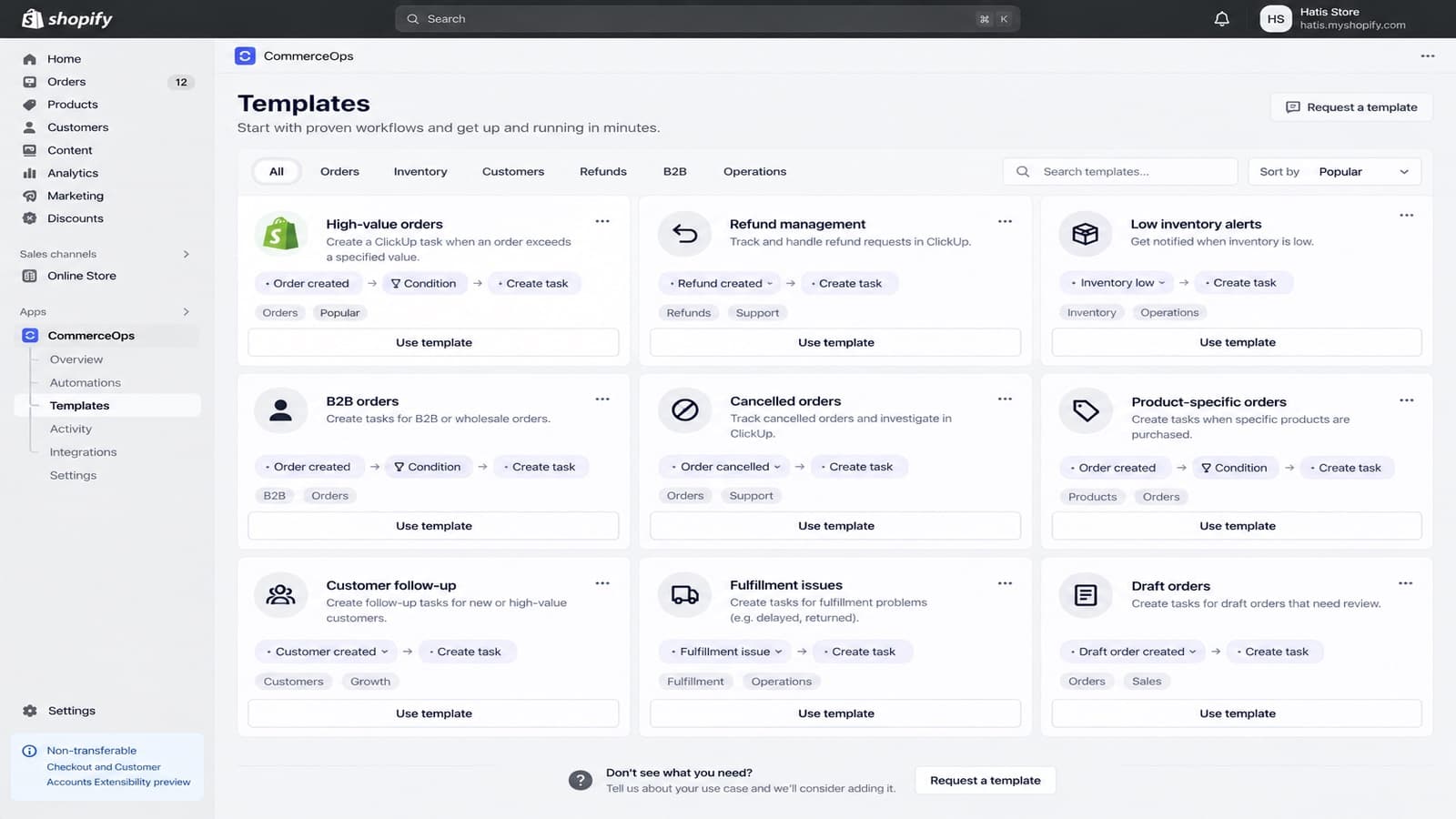
Templates has ready-made automations, for example high-value orders, refund management, low inventory alerts, B2B orders, cancelled orders and customer follow-up. Choose one, pick your ClickUp List and publish.
Safe editing
- Save on an active automation saves a draft. The live version keeps running.
- Publish replaces the live version with the draft.
- Test checks the ClickUp destination and the task before you go live. It does not wait for a real order.
- Each run records which published version it used, and the audit log records who changed or published it.