Product cards and quick add
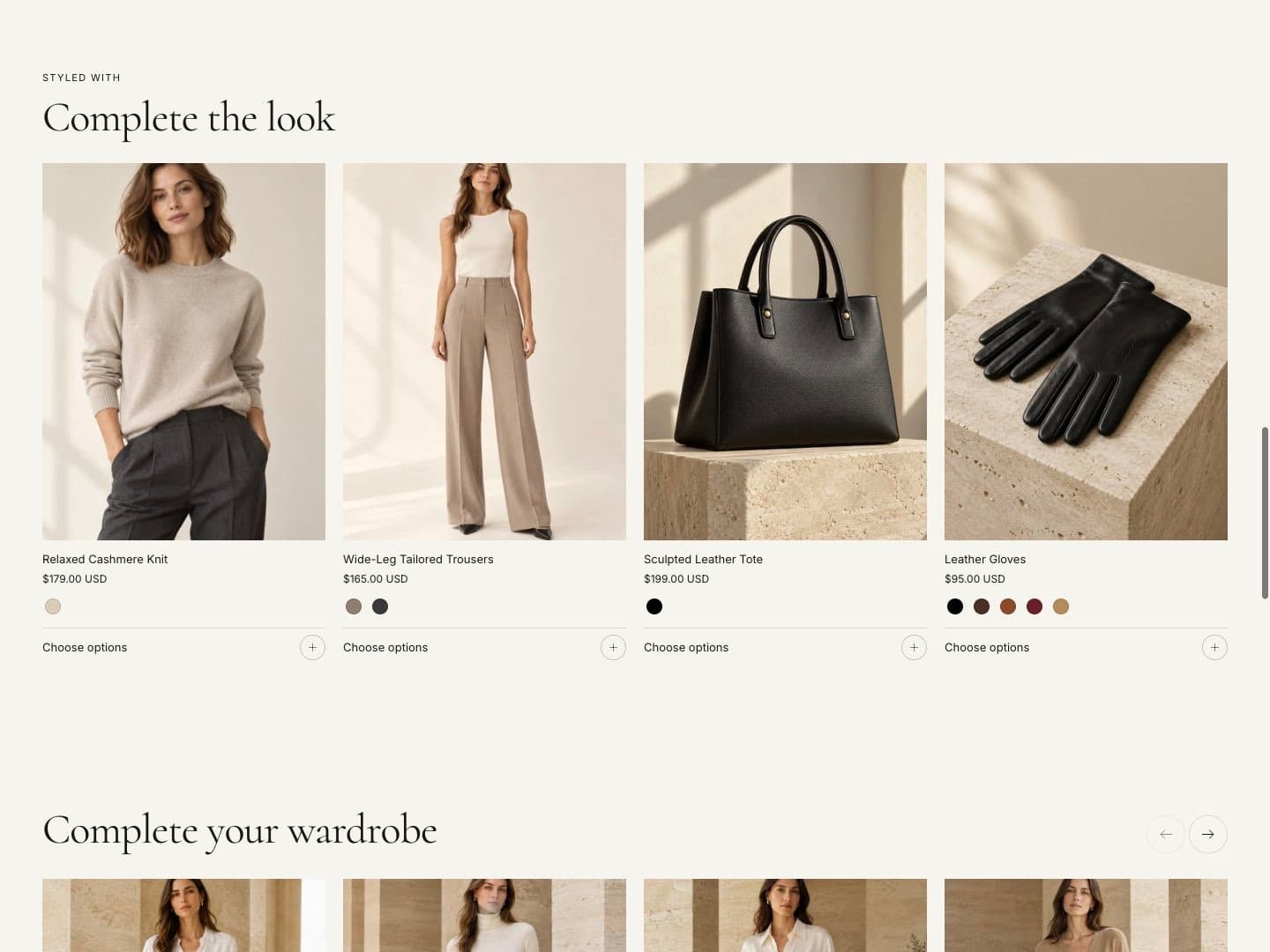
Product cards appear in collections, search results, featured collections and recommendations. Their look is set once in Theme settings › Product cards.
Product cards
| Setting | What it does |
|---|---|
| Card style | Essential, Editorial or Compact. |
| Hover effect | Show second image, Slow zoom or None. |
| Text alignment | Left or center. |
| Show alternate image on hover | Shows another image when hovering. Hover image decides which: another color’s main image or the second product image. |
| Show brand | Shows the product vendor. |
| Product image ratio | Portrait (3:4), Square, Landscape (4:3). |
| Image fit / crop position | Fill or fit the whole image; crop from top, center or bottom. |
| Show native color swatches | Shows color swatches under the card. Maximum swatches limits how many. |
| Show sale and sold-out badges | Shows badges based on the product’s price and stock. |
| Enable quick add | Adds a quick add button to cards. |
Badges
| Setting | What it does |
|---|---|
| Badge position | Top left, top right or bottom left. |
| Sale badge text | “Sale” or the saving as a percentage. |
| New badge product tag | Products with this tag get a New badge, for example new. Leave empty to turn off. |
| Sale badge colors | The color scheme of sale badges. |
Swatches and options
| Setting | What it does |
|---|---|
| Option style | Buttons or drop-downs for variant options. |
| Color option style | Swatch with label, swatch only or text button. |
| Swatch shape and size | Circle or square, and size. |
Swatches appear when a product’s Color option is connected to the Color category metafield. In the product admin, choose a product category, then connect the Color option to the Color metafield. Each value can have a color or an image.
Collection cards
Theme settings › Collection cards sets the style of collection cards: title below the image, title over the image or framed; the image ratio; and whether the product count is shown.
Quick add
With Enable quick add on, product cards get a quick add button.
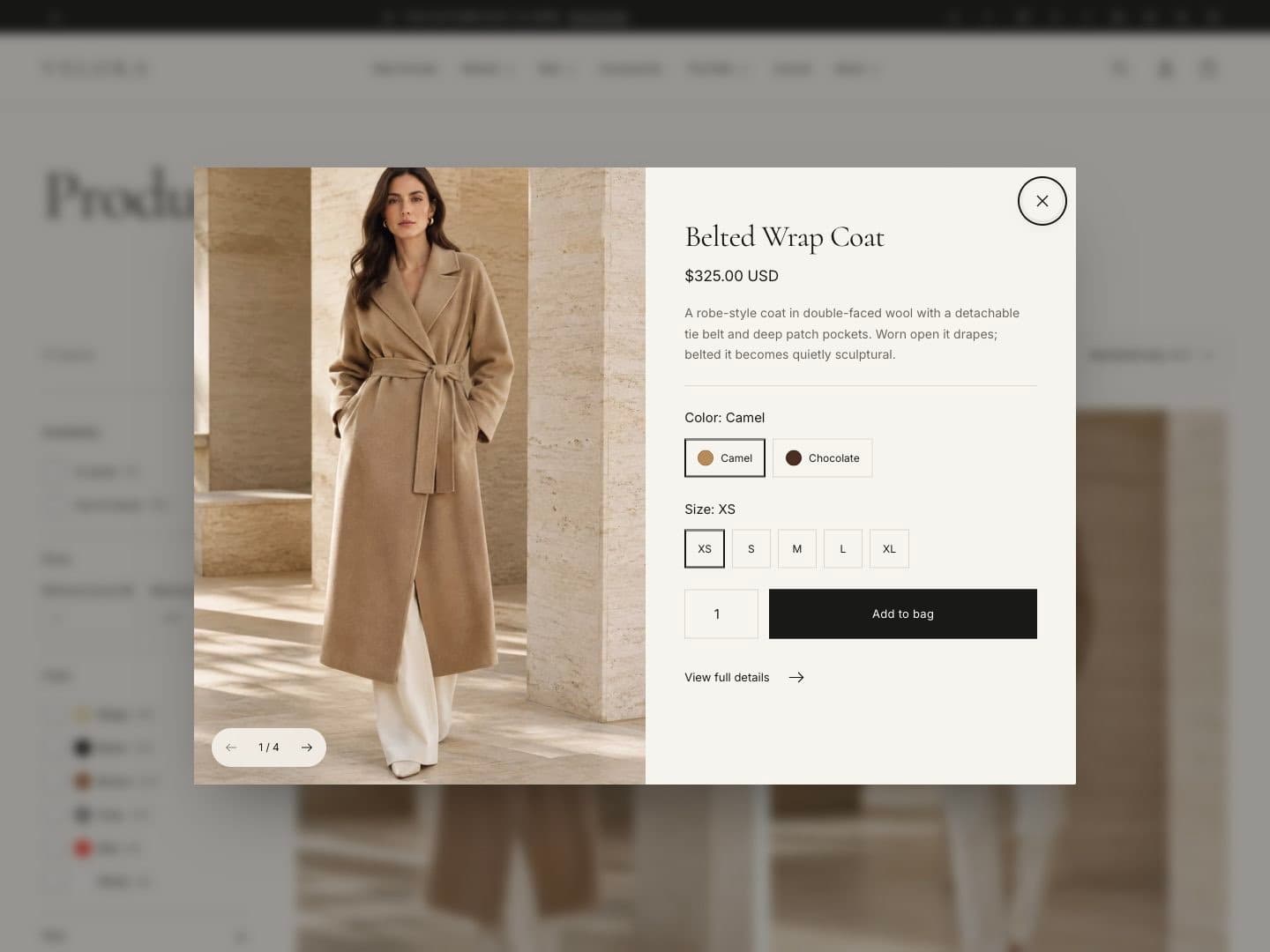
- Products with one variant are added to the cart straight away.
- Products with options open a dialog with a swipeable gallery, price, short description, options and quantity, plus a link to the full product page. On phones it opens as a bottom sheet.
- Changing an option updates the price and image.